
Time and Location
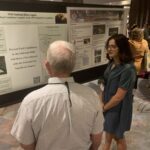
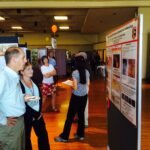
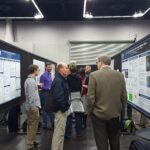
- The Poster Session is planned for Wednesday, December 3 from 4:45pm to 6:15pm. Presenters are expected to be at their posters during this time to interact with attendees and answer questions.
- Posters will stay up throughout the week to be viewed during breaks and networking time.
- Poster Set Up: You can set up your poster starting at 12pm on Tuesday, December 2. Please have your poster set up no later than 4pm on December 3. Each poster will be assigned an ID number which will be listed in the program and onsite, and you will place your poster on the board marked with the same ID number.
- Poster Break Down: Posters should be removed by the end of lunch (1:50pm) on Friday, December 5. Any posters that are not removed will be recycled at this time.
Presenter Requirements
- At this time, all presenters should be registered unless you have extenuating circumstances (federal shutdown, travel approval, etc).
- Presenters should review the AFE Code of Ethics, TEK and Diversity Statements, and use our guidelines for creating inclusive and accessible presentations.
Dimensions and Materials
- Each presenter will be assigned to a 48 inch x 48 inch space on a poster board, which will be indicated by poster ID number. These numbers will be listed in the program and available onsite. Your poster must fit within your allotted space, so we can display two posters side-by-side on 4 foot by 8 foot display board.
- Posters are typically 36 inches high and 48 inches wide. We recommend a poster width of 45 inches if possible to give a little space between you and your neighbor. Poster orientation can be portrait or landscape.
- Posters must be mountable with pushpins, which will be provided. Authors are responsible for hanging up their own posters.
- Any handouts should be placed in a clearly labeled holder which can be pinned under the poster.
Student Poster Contest
- We will have a Student Poster Contest with 1st, 2nd, and 3rd place awards! All students will be entered in the poster contest. Posters will be judged by a team, and winners will be announced during Friday morning’s plenary session.
- You can check out past awards winners here: https://fireecology.org/student-award-winners
Tips and Hints
- Poster presentations are a graphic representation of your work, which include photos, figures, graphs, and clear and concise text. They should be self-explanatory.
- Posters are most often created using applications such as Microsoft PowerPoint, Canva, etc.
- Have someone else review your poster and offer suggestions for improvements.
- Practice your “elevator speech” in advance. Consider how you will quickly convey your main message to your audience. Have peers think of questions about your poster and practice answering them.
- Conference attire is business casual.
Design and Layout
- We encourage you to consider creating a #betterposter, which provides science-based guidance on what a poster session is, how people consume information in a poster session, and how a poster should be designed. To learn about #betterposter design, watch this video. Also check out these tips towards making an #evenbetterposter.
- A light background with dark letters is easier to read on a poster than a dark background with light letters.
- Avoid cluttering. Leave some space between text, tables, diagrams and figures and guide the flow of information.
- Use organizational and textual cues to guide or transition into the next figure, concept, or section of the poster.
- Make your presentation symmetrical to balance the focus and avoid distraction.
Resources